After publishing many pages
New pages often go live with nothing pointing at them. A crawl lists those pages.
SEO Internal Linking Tool
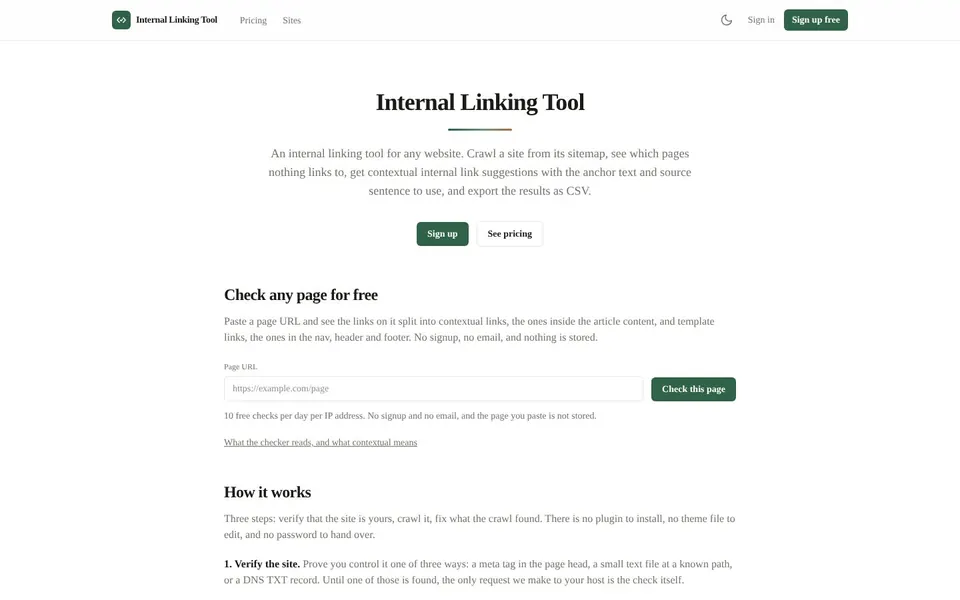
Internal linking in SEO means linking your own pages to each other so visitors and search engines can find them and understand how they relate. Internal Linking Tool at internallinkingtool.com crawls a site from its sitemap and shows which pages nothing links to. It then suggests contextual links with the anchor text and source sentence to use.

Internal linking is the practice of linking from one page of your site to another, and internal links are those links. They carry visitors from page to page and show search engines how your content fits together.
Internal Linking Tool splits the links on a page into contextual links, the ones inside the article content, and template links, the ones in the nav, header and footer. That split matters, because the two do different jobs.
You should review your internal linking strategy whenever your content grows faster than your links do.
After publishing many pages
New pages often go live with nothing pointing at them. A crawl lists those pages.
Before a content refresh
The link suggestions show which older pages could point at the page you just updated.
During an SEO audit
Both orphan lists and the silo matrix give you a clear view of how links sit between sections.
After a site migration
The re-crawl diff on paid plans shows new orphans, fixed orphans, pages added and pages removed.
To run an internal linking audit with Internal Linking Tool, you verify your site, crawl it and work through the report.
Open Internal Linking ToolOpen internallinkingtool.com and paste a page address into the Page URL field to try the free single-page check.
Press Check this page to see its contextual links and template links.
Choose Sign up when you want a whole-site crawl.
Verify the site with a meta tag in the page head, a small text file at a known path, or a DNS TXT record.
Start the crawl, which reads robots.txt and then the pages your sitemap lists.
Read the orphan lists and the link suggestions in the report.
Export the CSV and add the links in your own CMS.
The internal link checker reads static HTML, and the free plan has the limits listed below.
The crawl reads the HTML the server sends, the same HTML a search engine reads on a normal visit. If your site builds its links in the browser with JavaScript, those links are not seen.
Pages behind a login, a cookie wall or bot protection are counted as failed pages and named in the report. This tool does not insert links into your site, so every link you add is added by you.
Orphan pages are pages in your sitemap that no other page on the site links to. Internal Linking Tool also reports contextual orphans, which are pages linked only from the template, such as the navigation, header and footer.
Every crawl reports both lists, because one is a page nobody can find and the other is a page that no other page vouches for.
Internal linking structure is the pattern of links between your pages and sections. The silo matrix in every plan shows link counts between the top-level sections of your site.
Use it to spot sections that barely link to each other.
Internal linking best practices start with natural anchor text in a sentence that is really about the target page. Each suggestion gives the source page, the target page, the anchor, the sentence, a similarity score and the matched terms.
Anchors are never invented, since each one is a phrase already on the source page. A score is a number, not a verdict, so you decide whether the sentence fits.
The internal link checker is free for a single page, and the whole-site plans are flat monthly prices as of November 2026.
$0
1 verified site, crawls up to 500 pages, 3 crawls a month, the first 50 suggestions and CSV export.
$12 / month
3 verified sites, crawls up to 5,000 pages, 30 crawls a month, every suggestion and the re-crawl diff.
$29 / month
15 verified sites, crawls up to 20,000 pages, 100 crawls a month, every suggestion, the re-crawl diff and a REST API with 50,000 calls a month.
Both paid plans start with 7 days of Pro and no card, the trial does not include the API, and you can cancel any time. Prices are from the live Internal Linking Tool pricing page.
Short answers first, then the detail. More guides: meta tags for SEO, Amazon affiliate link, monitor website changes, or browse all free online tools.
Internal linking is linking from one page on your site to another page on the same site.
It helps visitors move around and helps search engines find pages.
Internal links are links that point from one page of a website to another page of the same website.
Navigation menus, footers and links inside article text are all internal links.
There is no official number of internal links per page for SEO, so aim for links that help the reader.
A long article can carry more than a short one. Internal Linking Tool suggests only links that fit an existing sentence.
Internal linking helps SEO by letting search engines find pages and understand which pages relate to each other.
Links from page content tell a search engine more about a page than links in a template that repeat everywhere.
Orphan pages are pages that no other page on your site links to.
Search can still find them, but nothing on the site points visitors there.
To find orphan pages, compare the pages in your sitemap against the links found on your site.
Internal Linking Tool does this when it crawls your sitemap and lists the pages nothing links to.
Crawl your sitemap and get orphan lists, link suggestions and a CSV to work through.
Find orphan pages and fix internal linking with Internal Linking Tool
Related guides
These guides cover jobs that often come next. See every tool on the free online tools page.
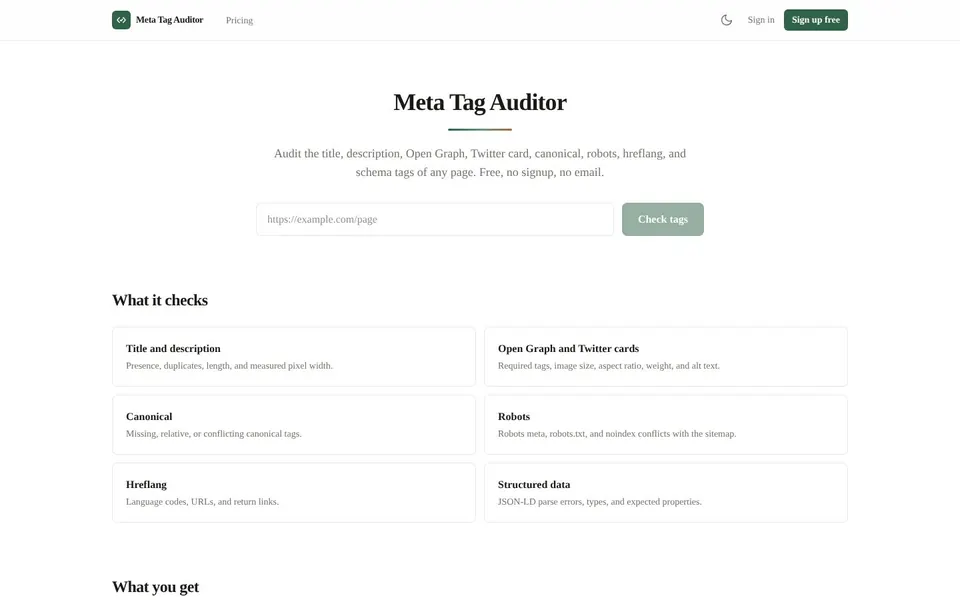
Check the title, description, Open Graph, Twitter cards, canonical, robots, hreflang and schema of any page.
Meta Tags for SEO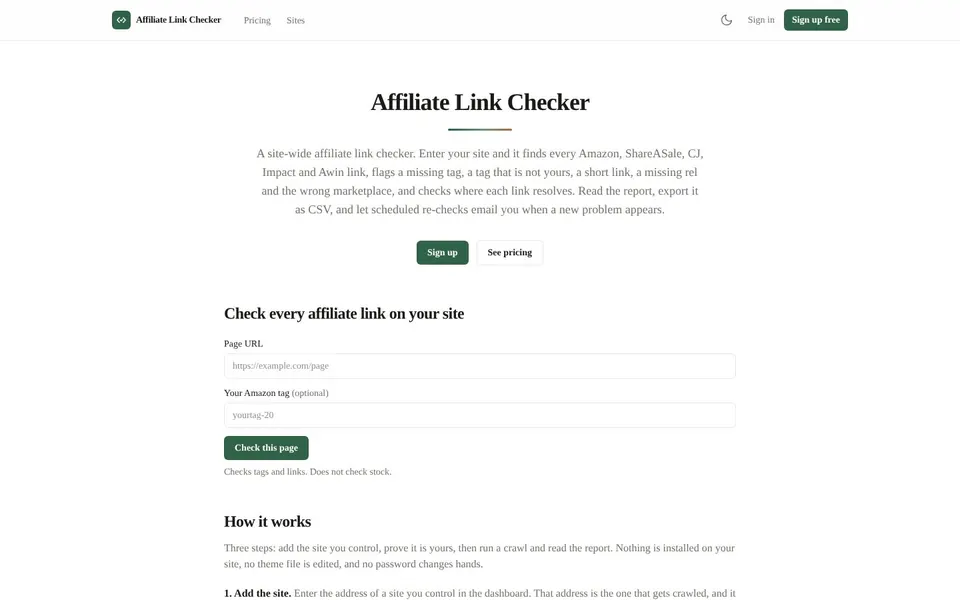
Find every Amazon, ShareASale, CJ, Impact and Awin link on your site and flag the broken or untagged ones.
Amazon Affiliate Link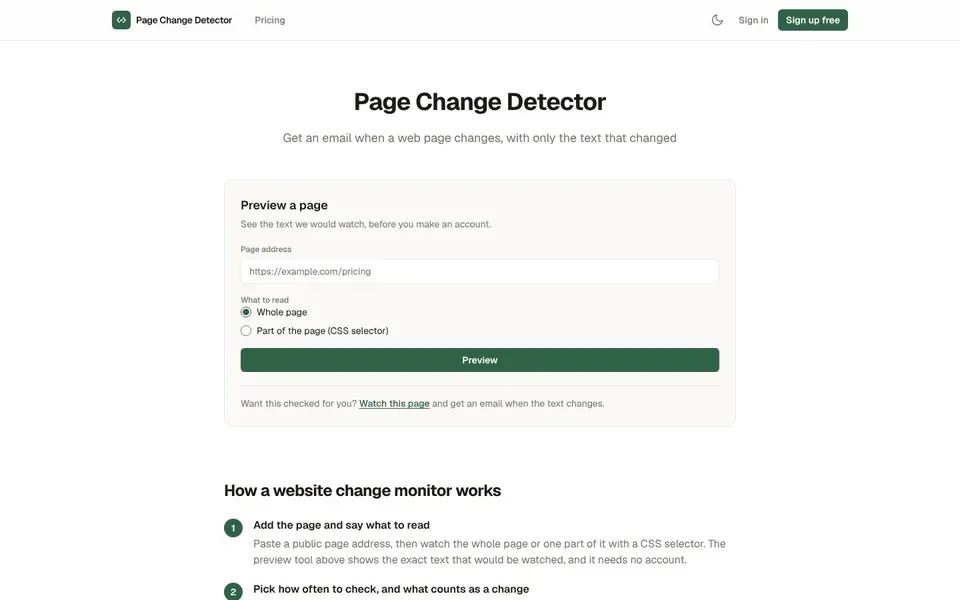
Watch a web page, or one part of it, and get an email with a plain text diff when it changes.
Monitor Website Changes